
How to Read Online Articles More Efficiently: A Science-Backed Guide [2026]
Did you know the average person now spends nearly seven hours a day staring at screens, yet our blink rate drops by a staggering 75% the moment we start scrolling? It's no wonder that 65 million Americans report regular symptoms of digital eye strain. You likely feel the friction yourself; the burning sensation in your eyes, the frustration of re-reading the same dense paragraph three times, or the mental fog that sets in after a long workday. To stop this cycle, you need a strategy for efficiënter online artikelen lezen that respects your biology instead of fighting it.
You don't have to sacrifice your focus or physical well-being to stay informed. This guide will show you how to master the cognitive and technical strategies necessary to increase your reading speed and comprehension while eliminating mental fatigue. We'll explore the science of visual crowding, the impact of personalized typography, and how tools like the Teggl Browser Extension can transform your screen into a high-performance environment. From understanding your unique Reading Profile to leveraging Bolded Reading Mode, you're about to discover a more comfortable, efficient way to process information.
Table of Contents
The Science of Digital Reading: Why Online Articles Are Hard to Process
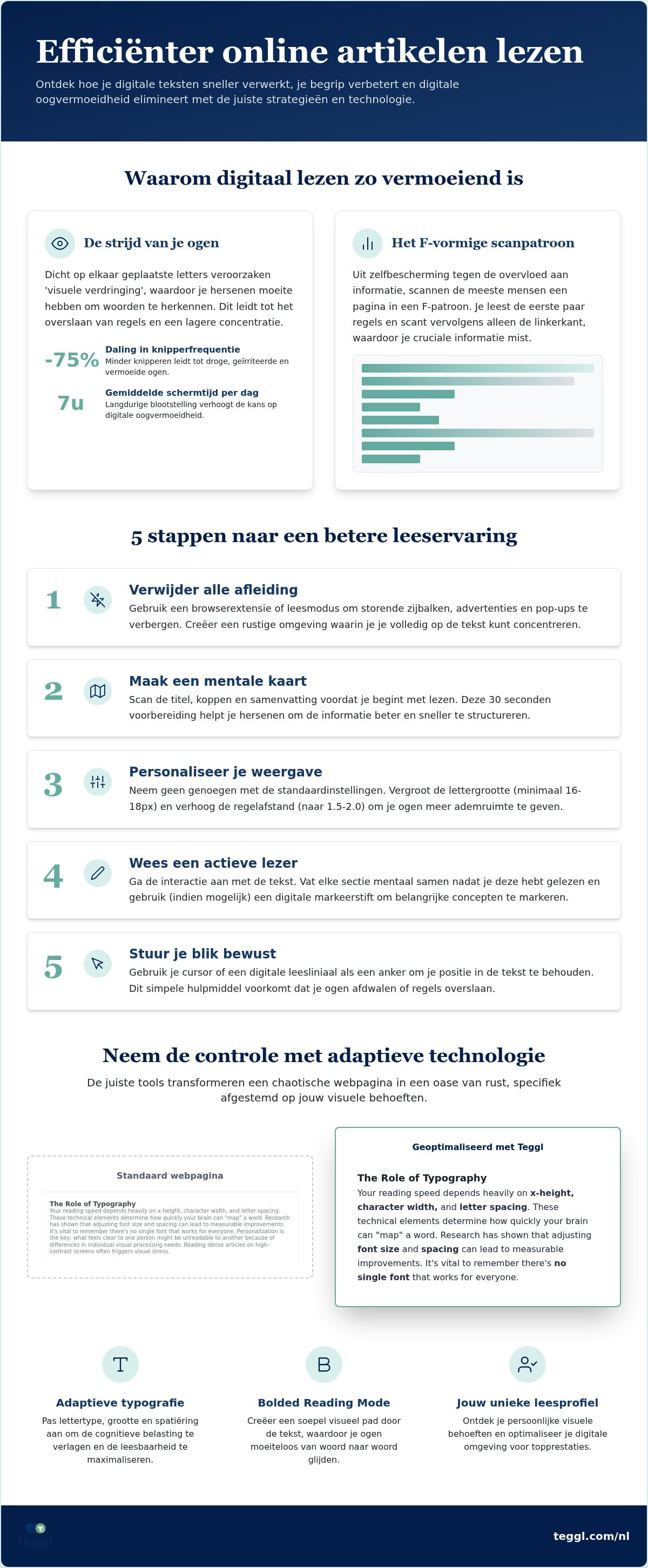
Most readers believe their lack of focus is a personal failing, but it's actually a biological response to digital layouts. The Science of screen reading reveals that our eyes interact with pixels differently than they do with ink on paper. A major culprit is "Visual Crowding," a phenomenon where the brain struggles to recognize individual letters when they're packed too closely together. This clutter forces your eyes to jump around, leading to the dreaded "line skipping" that ruins your flow and concentration.
To better understand how professionals handle complex digital texts, watch this helpful video:
Because of this visual noise, most people default to the "F-Pattern" of scanning. You likely read the first few sentences, then let your eyes drift down the left margin, catching only fragments of the content. This habit is a defense mechanism against high cognitive load. When typography is poor, your brain spends so much energy simply identifying letters that it has nothing left for deep analysis. If you want to master efficiënter online artikelen lezen, you have to reduce this mental friction by optimizing how your brain receives information.
The Role of Typography in Reading Speed
Your reading speed depends heavily on x-height, character width, and letter spacing. These technical elements determine how quickly your brain can "map" a word. Research from the University of Essex has shown that adjusting font size and spacing can lead to measurable improvements in comprehension. It's vital to remember that there's no single font that works for everyone. Personalization is the key; what feels clear to one person might be unreadable to another because of differences in individual visual processing needs.
Visual Stress and Digital Eye Strain
Reading dense articles on high-contrast screens often triggers visual stress. Symptoms include words appearing to move, blurring, or a literal physical ache in the eyes. While many websites use pure white backgrounds, this high-contrast environment often increases fatigue rather than clarity. Constant screen flicker and blue light exposure also disrupt your sustained attention span, making it harder to finish long-form content. Reducing this stress requires a more adaptive approach to how text is presented on your screen.
5 Practical Steps to Read Online Articles More Efficiently
Transforming your browser into a high-performance reading tool requires a few intentional shifts. Most websites are built to capture your attention for clicks, not to help you process information. By taking control of your digital environment, you can achieve efficiënter online artikelen lezen without the usual eye strain. Follow these five steps to reclaim your focus.
Strip away the clutter. Use browser extensions to hide distracting sidebars, auto-play videos, and pop-up ads that compete for your visual attention.
Build a mental map. Spend 30 seconds scanning the title, headings, and concluding summary before you read a single word of the body text. This "pre-reading" prepares your brain for the information to come.
Customize your visual field. Don't settle for default settings. Increase your font size to at least 16px or 18px and expand the line spacing to 1.5 or 2.0 to give your eyes room to breathe.
Interact with the text. Practice active reading by mentally summarizing each section after you finish it. If the tool allows, use digital highlighters to mark key concepts.
Guide your gaze. Use your cursor or a dedicated reading guide to maintain your place in dense paragraphs. This physical anchor prevents your eyes from drifting or skipping lines.
Mastering the Art of Skimming and Scanning
Success starts with knowing when to dive deep and when to stay on the surface. Search reading is a targeted mission to find a specific fact, while receptive reading is for deep comprehension. Use headings and bold text as cognitive anchors. These elements act as signposts that tell your brain where the most valuable information lives, allowing you to navigate complex topics with much greater speed.
Reducing Distractions with Reader Modes
Standard web layouts are often designed for revenue, not readability. Switch to a "Reader View" in your browser to eliminate visual noise and force a clean, linear layout. This simple change reduces the cognitive load on your brain and makes sustained attention much easier to maintain. For an even more tailored experience, you can discover your optimal reading settings to see how personalized typography transforms your speed and comfort.
Personalizing Your Reading Experience with Adaptive Technology
While manual adjustments provide a solid foundation, the future of efficiënter online artikelen lezen lies in adaptive typography. This technology doesn't just display text; it reshapes it based on your specific cognitive needs. It represents a shift from static web design to a dynamic, user-centric experience that adjusts to the reader rather than forcing the reader to adjust to the screen.
One transformative feature within this field is Bolded Reading Mode. By emphasizing the initial parts of words, this mode creates visual anchors that guide your eyes through sentences with significantly less friction. This targeted emphasis reduces the mental energy your brain spends on decoding individual characters, allowing you to redirect that power toward deep comprehension and retention.
Why Personalization Outperforms Standard Fonts
Research conducted by Adobe has demonstrated that personalized font experiences can increase reading speed by up to 35%. This significant improvement occurs because reading is a "personal biometric." Factors like your age, visual acuity, and even your current environment change how you process information. There's no universal "best" font because every brain has different requirements for x-height, weight, and character spacing to achieve peak performance.
Implementing Teggl for Peak Reading Performance
Integrating these scientific principles into your daily workflow is seamless with the Teggl Browser Extension. To begin, you can take the Reading Profile Test to identify the exact typographic settings that work for your unique visual traits. This test removes the guesswork, providing a data-driven baseline for your digital environment.
Once your profile is active, the extension automatically optimizes the text on any website you visit. You'll move from struggling with dense, unoptimized paragraphs to experiencing a frictionless flow that preserves your mental energy. By matching the technology to your biology, you transform the act of reading from a source of fatigue into a high-performance habit.
Unlock Your Peak Reading Performance
You've seen how biological factors like visual crowding and the "F-Pattern" create unnecessary mental friction during your workday. By implementing practical habits like pre-reading and using reader modes, you can reclaim your focus and reduce digital eye strain. However, the most significant shift happens when you move beyond generic browser settings to a personalized digital environment that respects your unique visual traits.
Mastering efficiënter online artikelen lezen isn't about working harder; it's about using adaptive technology to align with your brain's processing needs. You don't have to settle for a one-size-fits-all experience that leaves you mentally exhausted. Instead, you can leverage evidence-based tools to transform every website into a high-performance reading space.
Take the next step in your productivity journey. Discover your optimal reading settings with the Teggl Reading Profile Test. Personalize your reading experience based on peer-reviewed research and join readers who've increased their digital speed by up to 35%. It's time to stop fighting your screen and start reading with clarity and comfort.
Frequently Asked Questions
Can I really increase my reading speed without losing comprehension?
Yes, you can boost your speed by reducing the visual friction that slows your brain down. Research from Adobe indicates that personalizing typographic settings can increase reading speed by up to 35% without sacrificing comprehension. When you optimize the layout to suit your eyes, your brain spends less energy on decoding letters and more on processing the actual meaning of the text.
What is Bolded Reading and how does it help with focus?
Bolded Reading is a technique that emphasizes the initial parts of words to create strong visual anchors. These anchors help your eyes glide through sentences more smoothly, which prevents you from skipping lines or losing your place in dense content. It's a highly effective tool for anyone aiming for efficiënter online artikelen lezen by minimizing the cognitive load required to navigate complex paragraphs.
Why do my eyes get tired so quickly when reading articles online?
Your eyes tire because of digital eye strain and a significantly reduced blink rate on screens. Research shows that while we usually blink 15 to 20 times per minute, this drops to just 3 or 4 times when reading digitally. This leads to dryness and irritation. Additionally, visual crowding on standard websites forces your eye muscles to work harder to distinguish characters, causing rapid fatigue.
Does font size actually matter for adults, or is it just for children?
Font size is critical for adults because visual acuity and contrast sensitivity naturally change over time. Reading small text on high-resolution screens requires intense muscular effort. Increasing your font size to at least 18px can significantly lower the effort needed to process information. This simple adjustment is a fundamental step for those who want to achieve efficiënter online artikelen lezen during long work sessions.
What is the best font for reading long articles on a screen?
There's no single font that is universally the best; the ideal choice depends entirely on your individual visual profile. Factors like x-height, character spacing, and stroke weight interact differently with every reader's brain. Instead of searching for one perfect font, you should use a Reading Profile Test to identify the specific typographic settings that match your unique biometric needs and environmental factors.



Comments