
2026 Evidence-Based Guide to Web Reading Speed Tools
Did you know that personalizing your digital typography can increase your reading speed by up to 35%? Research from Adobe confirms there isn't a single "best" font, but there is a perfect setting for your unique visual profile. You likely feel the daily strain of processing heavy information loads while battling eye fatigue or the frustration of skipping lines. Choosing a reading speed improvement tool for web content is the first step toward reclaiming your focus and reducing that mental drain.
This guide explores how to evaluate digital tools using peer-reviewed research and 2026 accessibility standards. We'll show you how to find the personalized settings that reduce cognitive load and increase efficiency without comprehension loss. You'll learn to transform your browser into a high-performance environment that supports your eyes, respects your time, and makes every long-form article feel effortless.
Table of Contents
Beyond RSVP: The Shift from Eye-Training to Adaptive Typography
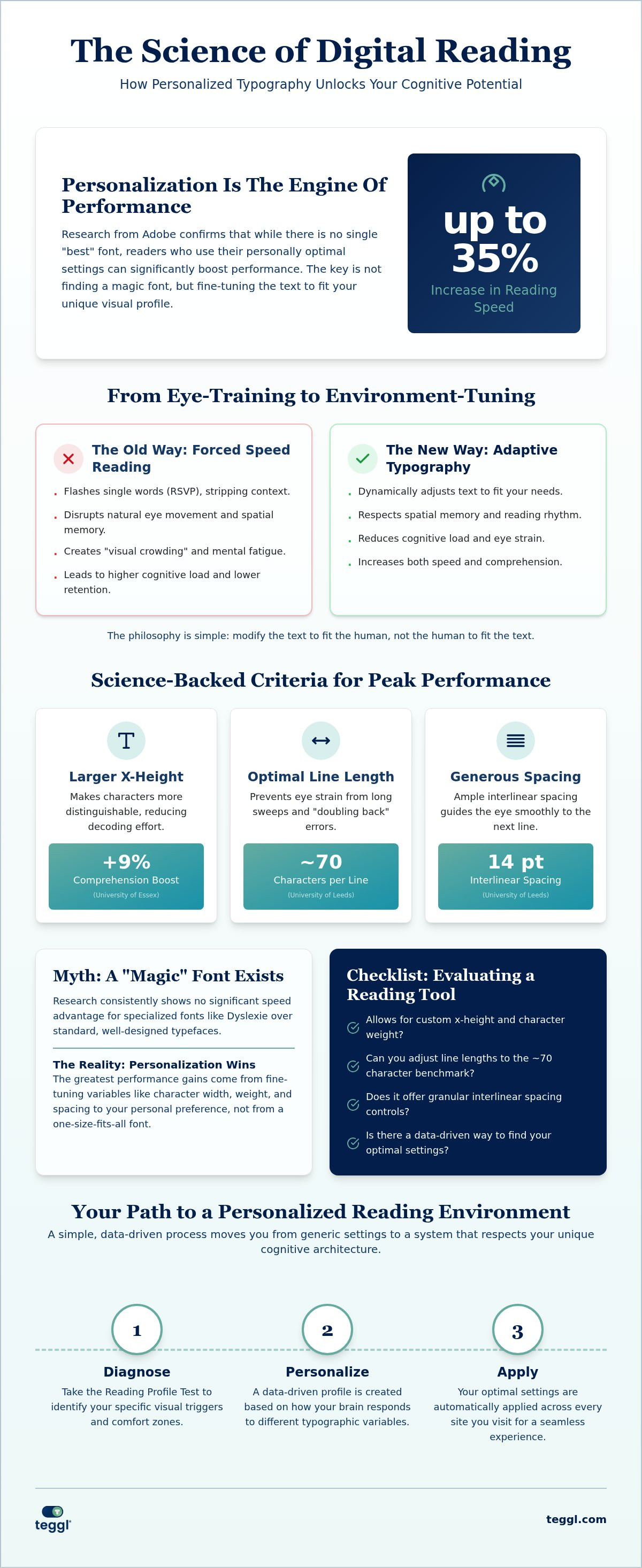
Adaptive typography isn't just about changing a font; it's the dynamic adjustment of text features like spacing, size, and weight to match your specific cognitive needs. For decades, the history of speed reading focused on training the eye to move faster. However, 2026 research shows that modifying the environment is far more effective than forcing the human brain to adapt to rigid, static layouts.
Traditional RSVP methods flash single words on a screen, which strips away the spatial memory you need to understand complex ideas. This creates "visual crowding," where standard web fonts overwhelm your brain's processing power. A modern reading speed improvement tool for web users avoids these forced mechanics. Static web layouts often cause visual fatigue because they don't account for how your brain processes clusters of letters. By utilizing a reading speed improvement tool for web browsers, you can alleviate this burden and maintain your focus for longer periods.
The Teggl philosophy is simple: modify the text to fit the human, not the human to fit the text. This shift from training the reader to optimizing the interface represents a fundamental change in how we view digital productivity.
The Cognitive Limitations of Forced Speed Reading
Aggressive skimming and RSVP often result in significant comprehension gaps because they disrupt your natural reading rhythm. When words flash in isolation, you lose the ability to use peripheral vision to prepare for upcoming content. This leads to a higher cognitive load and lower retention rates. Instead of fighting your biology, the bolded reading modus empowers you to move faster by emphasizing the most critical parts of each word. This method respects your spatial memory and keeps you grounded in the context of the page, allowing for a seamless transition from one idea to the next.
Science-Backed Criteria for Evaluating a Web Reading Tool
Personalization is the engine of reading performance. Adobe research proved that readers gain a 35% speed boost when using their personally optimal font. When you evaluate a reading speed improvement tool for web browsing, look for granular control over typographic variables. The University of Essex found that a larger x-height, specifically around 5.0 mm, boosts comprehension by 9%. Layout also matters. The University of Leeds suggests maintaining 70-character line lengths and 14 pt interlinear spacing for maximum clarity. These settings ensure your brain decodes clusters of letters without excessive effort.
The Personalization Paradox: Why No Single Font Wins
Scientific evidence often contradicts popular myths about "best" fonts. Research into specialized fonts like Dyslexie or OpenDyslexic has consistently shown no significant speed advantage over standard, well-designed typefaces. Instead of chasing a magic font, focus on the ability to reduce online reading distractions by fine-tuning character width, weight, and spacing. This adaptive approach transforms a standard browser into a high-performance workspace tailored to your eyes. You can identify your own optimal settings to see which variables impact your focus most.
Use this checklist when testing any new browser extension:
Does it allow for custom x-height and character weight?
Can you adjust line lengths to the 70-character benchmark?
Does it offer interlinear spacing controls?
Is there a data-driven way to identify your optimal settings?
Implementing Your Personalized Reading Profile with Teggl
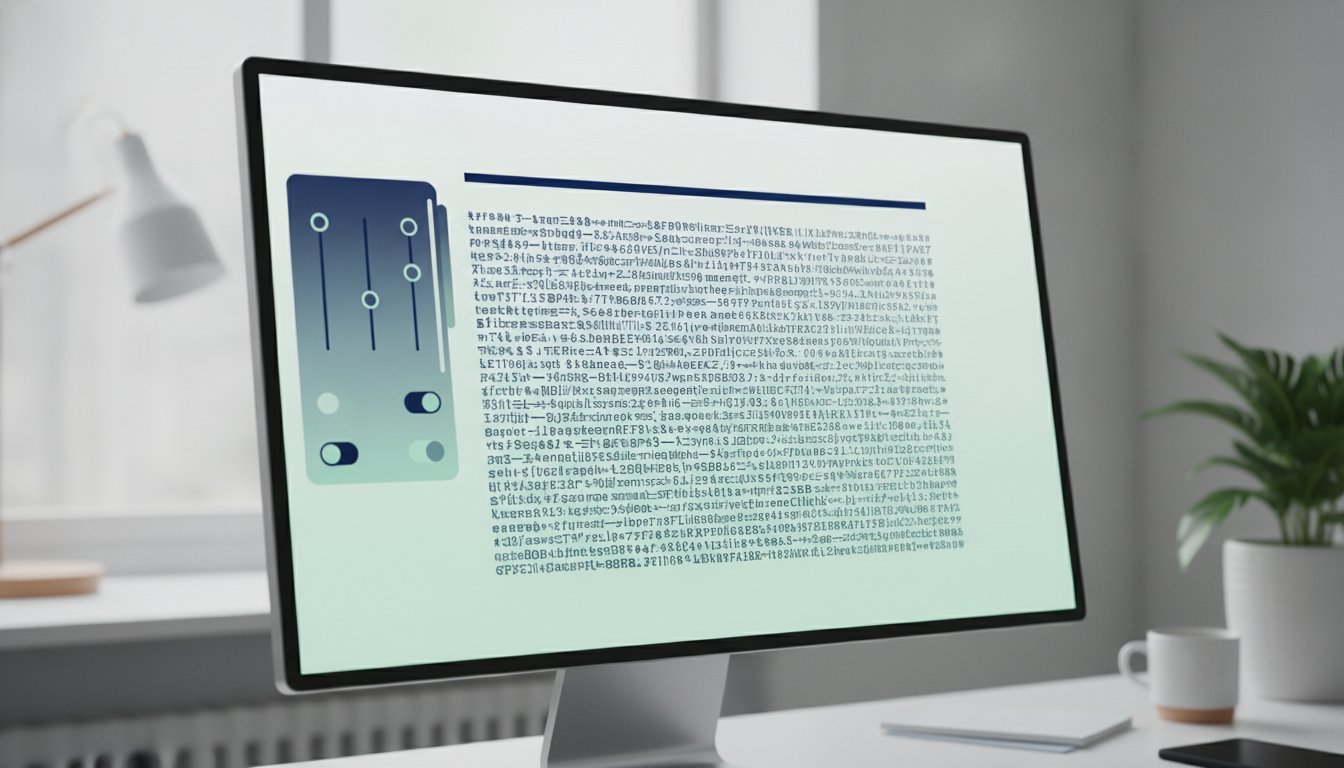
To build a truly effective reading environment, you must start with data. Teggl begins by guiding you through a Reading Profile Test. This diagnostic identifies your specific visual triggers and comfort zones, ensuring the reading speed improvement tool for web content you use is actually calibrated to your biology. It isn't a guess; it's a measurement of how your brain responds to different typographic weights and spacing. By identifying these nuances, you move away from generic settings toward a system that respects your unique cognitive architecture.
Once your profile is set, Teggl automatically applies research-driven variables across every site you visit. It dynamically adjusts line lengths and paragraph distinction to prevent the cognitive overload associated with wide, unbroken blocks of text. For the 5% of readers who experience significant visual stress on standard layouts, the Bolded Reading Mode provides a stabilized visual anchor. You should compare reading comprehension tools to find the exact adaptive balance required for your specific daily workflow.
Maximizing Focus and Speed in a Professional Workflow
Integrate the extension into your daily browser use to handle emails, reports, and dense research effortlessly. Start by enabling your profile on your most-read news sites or technical databases. When tackling complex technical documents, combine your custom settings with "Z-pattern" eye movement. By following the bolded anchors provided by the reading speed improvement tool for web documents, you can scan for key information without losing the logical thread of the argument. This method turns passive scrolling into active, efficient information processing that respects your mental energy.
Reclaim Your Digital Focus Through Personalization
The journey from struggling with digital overload to achieving peak performance starts with a shift in perspective. You've seen how adaptive typography, backed by Adobe and University research, replaces outdated eye-training methods with science-driven results. By prioritizing variables like x-height and line length, you can unlock a 35% speed improvement potential while significantly reducing visual fatigue. Selecting the right reading speed improvement tool for web content isn't about following a trend; it's about building a workspace that respects your unique cognitive needs.
Now is the time to move beyond static layouts and embrace a tailored experience. You can start today by exploring our no-cost browser extension trial to see the difference for yourself. Discover your optimal reading settings with the Teggl Reading Profile Test and transform your daily reading into a seamless, high-performance activity. You deserve a digital environment that works as hard as you do.
Frequently Asked Questions
Can a specific font really improve my reading speed by 35%?
Research from Adobe confirms that personalizing your typography can increase reading speed by up to 35% without losing comprehension. This isn't about one specific font being better than others; it's about matching the typeface to your unique visual profile. Using a reading speed improvement tool for web content allows you to find this optimal configuration and apply it consistently.
Does OpenDyslexic or Dyslexie font actually help with reading speed?
Independent studies show no statistically significant advantage for Dyslexie or OpenDyslexic fonts over standard typefaces like Arial. Research indicates that the majority of readers actually perform better with or prefer conventional fonts. Instead of relying on a single design, performance is improved by adjusting variables like x-height, character spacing, and line weight to meet your individual needs.
What is the difference between RSVP speed reading and adaptive typography?
RSVP flashes single words on a screen, which often disrupts spatial memory and lowers retention rates. Adaptive typography takes the opposite approach by dynamically adjusting text features like line length and interlinear spacing. This method creates a low-strain environment that works with your brain's natural processing power rather than forcing your eyes to adapt to an artificial rhythm.
How do I find my optimal reading settings for the web?
The most effective way to identify your settings is through a Reading Profile Test. This diagnostic tool measures how your brain and eyes respond to different typographic weights, sizes, and spacing. Once identified, these settings can be applied through a reading speed improvement tool for web browsers, ensuring every article is optimized for your specific visual triggers.
Is there a universal "best" font for digital reading?
Scientific research shows there is no universal "best" font for everyone. Reading performance is a result of multiple variables, including font size, contrast, and line length, which affect individuals differently. While some readers perform better with serif fonts like Garamond, others find sans-serif options more effective. The key to high performance is personalization rather than a one-size-fits-all solution.
Can larger font sizes reduce visual stress during long work sessions?
Increasing your font size can significantly reduce visual stress and fatigue. Research from the University of Essex found that a larger x-height, roughly 5.0 mm, improves comprehension by 9% and helps mitigate visual-stress-related difficulties. For professionals navigating heavy reading loads, these adjustments lower the cognitive burden and allow for longer, more focused sessions without the typical symptoms of eye strain.


Comments